Petoron
PTRN ERC-20

How to add PTRN to MetaMask / Trust Wallet

Follow the steps below to import the PTRN token into your non-custodial wallet.
PTRN contract (Ethereum mainnet)
Tip: tap the orange field to select the address, or use the copy button.

Step 1 — Open your wallet

  1. Open the MetaMask extension/app or Trust Wallet app.
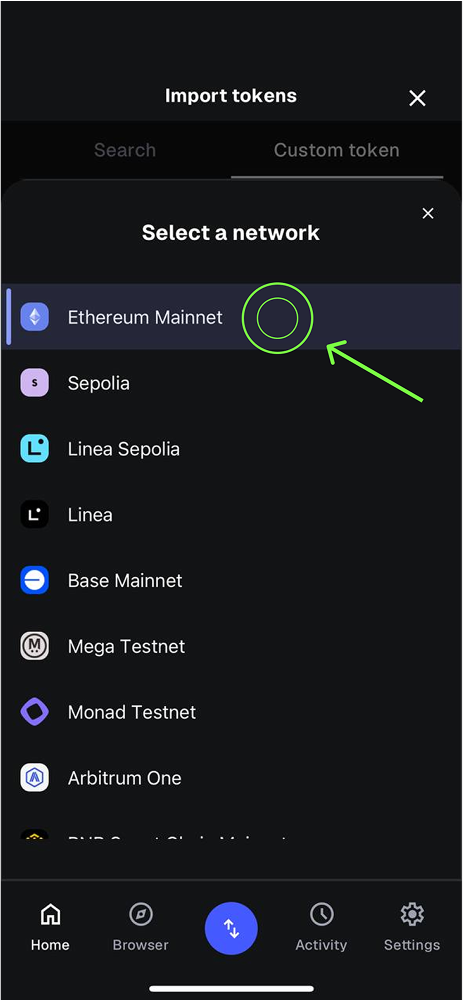
  2. Make sure the selected network is Ethereum Mainnet.

Step 2 — Import token

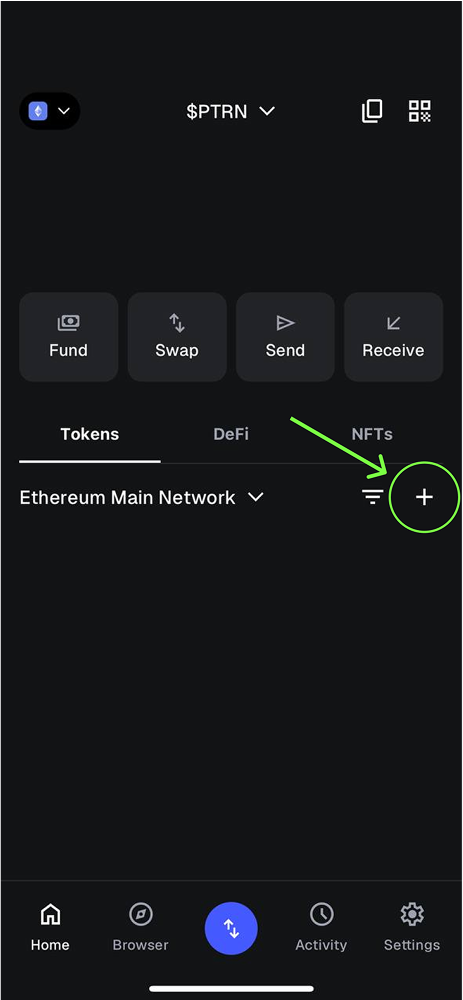
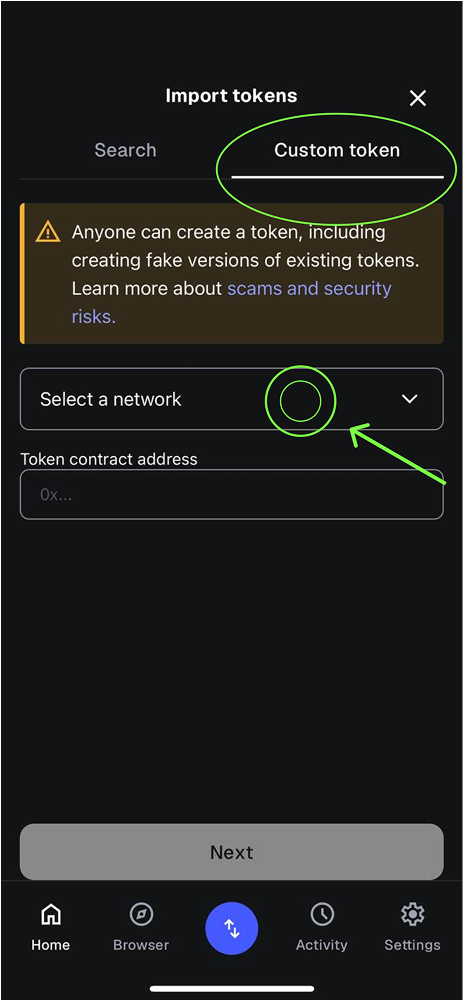
  1. In the assets list tap Import tokens / Custom token.
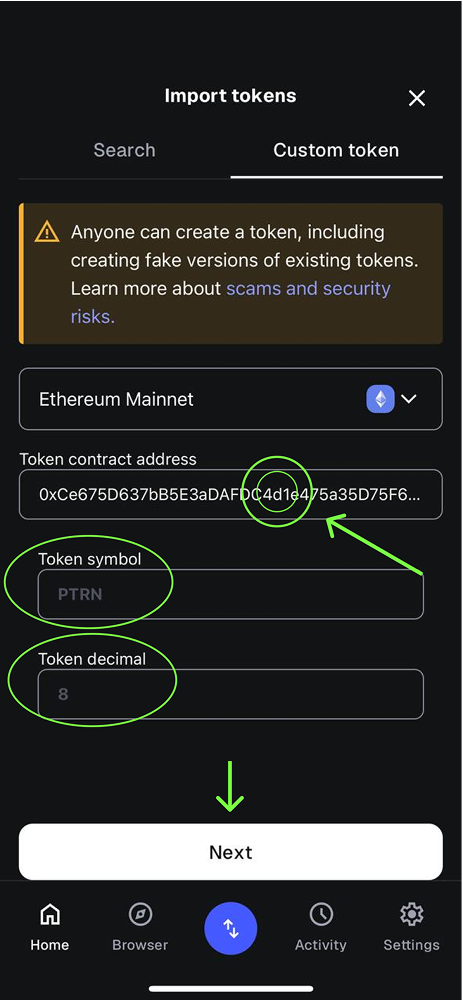
  2. Paste the contract address above — other fields auto-fill (symbol: PTRN, decimals: 8).
  3. Confirm import.
Keep a small amount of ETH in your wallet ($1–2 is enough) — gas is paid in ETH.
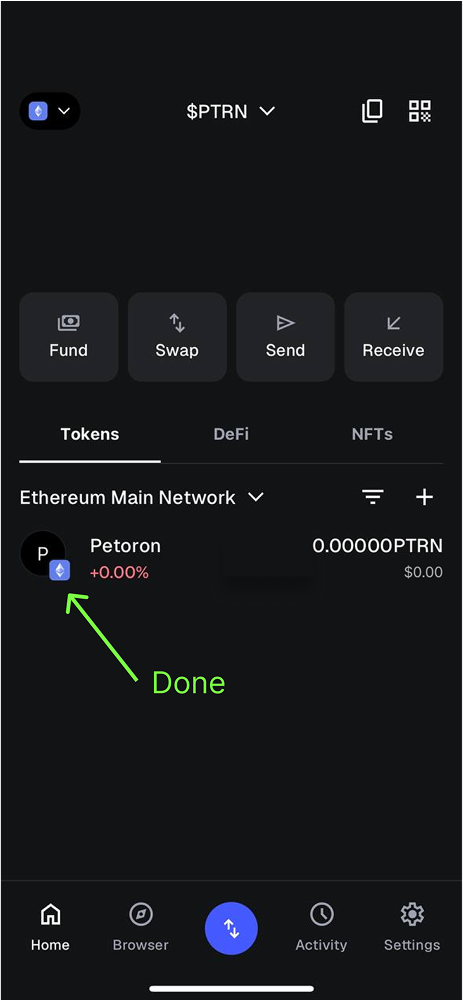
Screens (Example: MetaMask)
Helpful article:
“What is Petoron? - BTC, ETH and PTRN”
Presentations (PDF)
Overview coin Petoron (PTRN)
Partner Distribution & Loyalty Strategy
Work scheme Petoron PTRN ERC-20
Interactive demo:
▶ View animation of the workflow
Built for reliability and clarity. © Petoron